Niels Leenheer
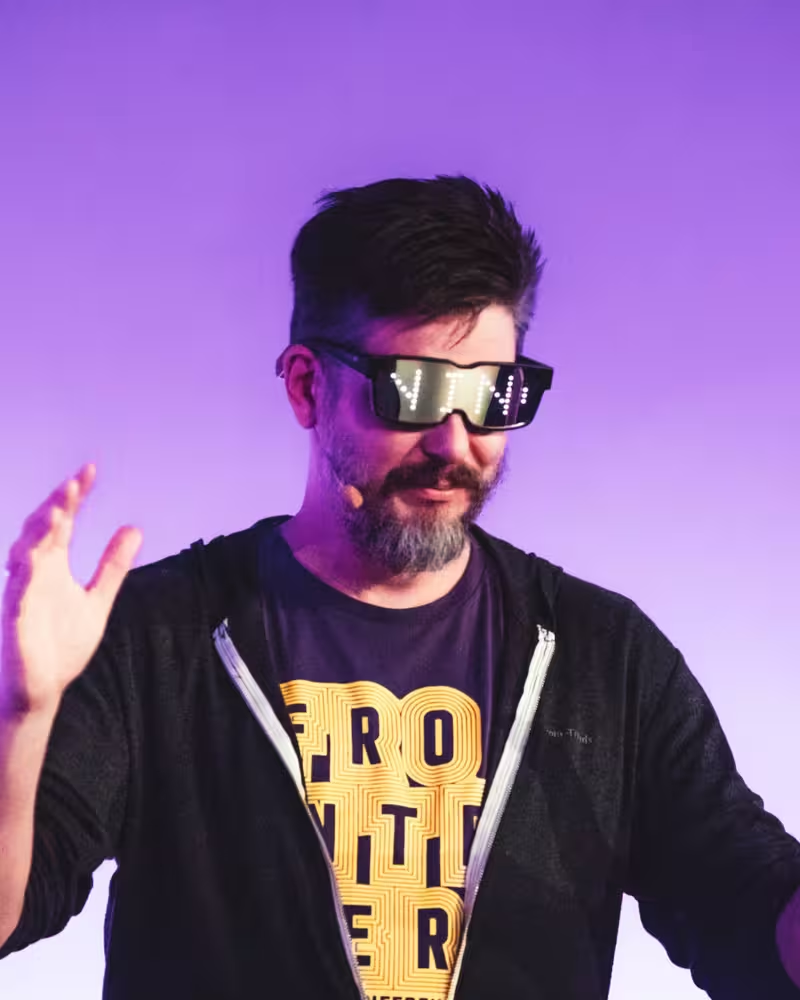
Niels is a self-professed browser geek. Back in the day, he created HTML5test, and loves the web platform and standards. He is currently obsessed with connecting the web to physical devices, which sometimes leads to unexpected results, such as a CSS-powered flamethrower. Luckily, not everything he does is that dangerous, but he did manage to blow up an old 1980’s oscilloscope during an experiment with WebAudio. For his day job, he is CTO of Salonhub and creates web applications for hair salons.
Talk: The Web Beyond the Edges of the Browser Window
Join Niels on a journey to the weird and wonderful fringes of the web – way beyond anything that fits inside a browser window. From using audio to draw SVG images on 1980s oscilloscopes to a CSS-controlled flamethrower (where local law permits), this is a tour of the web like you’ve never seen it before. A JavaScript clock that stubbornly refuses to tell the right time. Chrome's offline dinosaur game, beamed onto a laser projector.
What do these have in common, you ask? They’re all gloriously out there, they all run on modern web standards and they were an absolute blast to build. Buckle up!
Transcription
(Applause)
Thank you so much, Marc.
So I’m Nils.
So I’m Nils, and I just want to say upfront that I’m so honored to be here on this stage today for so many years I’ve sat in these red chairs that you are sitting in and just in awe at the speakers on this stage and their talks and their creativity and their madness and imagination. And sometimes there are obsessions that drive them.
And I don’t consider myself an artist.
I build things just out of curiosity and just for myself. And like Gavin Strange said last year here on stage, less tinkering, more tinkering.(...) And it’s kind of like my personal creative outlet. So it’s a bit strange here standing on stage to show what I’ve built. And you may think I’m crazy a bit.
Well, we’ll see. So last year in Berlin at beyond tellerrand ,(...) Astrid Bin closed a conference with a talk called Dork Patterns.
And she showed a list of dorky subjects that she obsessed about. And I love that.
And I want to start a little tradition. So I get obsessed too sometimes.(...) And I think it’s a healthy thing.
An obsession is a period of clarity or focus and sometimes unexpected, sometimes creative, slightly unhinged results. And it’s really healthy to care about something, even though it may seem you are the only one.
And I call them obsessions. But it’s often the source of creativity. And you can also call it inspiration.
So I get inspired by web standards, but also in Northern Lights and Legos and clocks and user agent strings and astrophotography and oscilloscope and receipt printers and reversion engineering Bluetooth devices and videos about watch repair and Germanic languages and DMS-controlled state light and pyrotechnics and browser compatibility before the year 2000. The Space Shuttle Challenger accident report how the browser parses HTML in the history of writing.
And typography and getting annoyed that proper use of the EM dev now makes you look like an AI bot.(...) And making remote-controlled LEGO cars and how barcodes and QR codes work and so much more.
But mostly, it’s about the web and how it can use the web beyond the edges of the browser window.
And I fell in love with the web in 1994.
And it’s been pretty much a constant in everything that I create.
But lately, my obsession has been clocks.
OK, that’s the first thing that goes wrong. There should be a nice phone there. OK.
I am going to share a bit about that obsession and some of the projects that I created in the last year or two.
The thing that connects all of these projects together is this conference.
All of these projects were the direct results of talks I’ve seen here.(...) Speakers that stood on this stage.
They were programmed on the way towards beyond tellerrand in a train. Sometimes even started right in the middle of a talk.(...) Not that the talk was boring, but somehow something in that talk triggered me to create something. And I just had to put that into code.
But my fascination with clocks really started with Vasilis van Gemert.(...) Who stood on this stage a couple of years ago.(...) And his not so secret passion is clocks.
In his gradient, clocks really inspired me and dropped me head first into an obsession about Raspberry Pi’s and touchscreens. And that was just one thing.
For me personally, a clock needs to be round.
Now, I know from here in Dusseldorf, the rhyme term,
a clock does not need to be round. But whenever I see a clock, whenever I think of a clock,
it’s always round.
By the way, there is a CSS version of the rhyme term clock that Gunnar Bietesmann created. I love that.(...) Ask him to show it to you. It’s amazing. He’s sitting around here somewhere.(...) Yeah, there.
Now, anyway, I went on this quest to find that round screen. And it wasn’t that difficult.(...) So meet project badclock.
Yeah.
So it turns out--
so this project consists of several components.
First, that round touchscreen.
That is just perfect for a clock.
It’s connected to a Raspberry Pi. It’s a Pi 5. That means we have a lot of computing power. We’re running Chrome,
but that’s one of the reasons.
But I also had plans with this clock.
Everything-- it’s just a web page, and we’re going to do stuff with that.(...) And of course, there is also some custom hardware. Don’t mind my shoddy soldering.
It has a rotary encoder that you can use to wind the clock, because clocks need winding.
So meet our bad clock.
Now, thanks to an oscillometer,
it always stays upright.
And you can change the time by tapping one of these numbers.
Actually,
let’s--
whatever.
Until it forms a new number, and if it doesn’t, it will just shut down.(...) And the screen flickers sometimes. And it’s like there’s a bad solder joint.
And I love that in a clock.
Just randomly, it can stop working. And sometimes, it forgets that it needs to reset the clock at 12.
And we’ll stop.
Continue. So 23, 24, 25, 26, 27. It’s fine.
Now, one other issue with clocks is that this clock doesn’t understand wintertime and summertime.(...) So sometimes, it will simply forget to change the time.
Or it does it at the wrong moment, because not every country changes to summertime at the same time.
Or it will change it the wrong way, which is totally fine by me. It’s not a clock for showing the time. It’s just my own personal--
I just want to tinker with this.
Now, sometimes, it pretends to be a VCR.
I will just stop blinking 12.
Sorry. Sorry.
I recently turned 50.
A VCR is basically a DVD player that uses magnetic tape.
Sorry.
A DVD is basically Netflix, where you have to get a shiny disk from a store.
Anyway.
So the clock also contains a full box 2D simulation. And everything you see on screen is basically in these simulated environments. And they have motors that turn the hands. And it’s way too complicated for just a clock.
I love this. There’s gravity in it, thanks to the accelerometer. It even points down to actual gravity.
You can set a time by changing the hands,
just picking it up. And to me, this is perfect.
Now, just by touching the hands, you set the time. And it determines the force that you use. So you can sweep them around. And sometimes, well, all the hands just break off. And they start flying. Just bounce around at the insides of the clock.
(Applause)
Sometimes, just by random chance, one of the hands will just swing down. And if you don’t put it back in, say, like an hour or so, it will just drop to the floor.
And I put it on the internet. And I got all kinds of reactions, great reactions. And also this.
I mean, yeah.
So I’ve got work to do.(...) It doesn’t make any sense. Why would you? I still have to write this talk. I don’t have the time. I can possibly spend 10 hours and 17 minutes on the gravity simulation of beams.
And I know that exact time, because I had to make it.
So I put 120 beams in the gravity model and added a liquid simulation as well, including a method where the beams and the liquids leave as brown smudges on the screen.
So inside the simulation, it looks like this.
Every beam is a circle that has a random oval, sorry, a beam in it. And that way, the beams can overlap a bit. And it’s randomly distributed.
The hands can interact with the beams. You can even pick up individual beams.
And the clock now has a beam mode.
And I don’t care about how ridiculous it is.
It’s my clock. I can do what I want.
I even added a menu as well.
So also in the gravity simulation, and the buttons drop down from the top.
Not very user friendly, because the buttons are always in a different place, and sometimes the wrong order, and even upside down. But yeah.(...) The gravity just makes it so tactile. It’s so fun to play with.
And finally, the knob.(...) Well, you need to wind the clock,
obviously.
So every day you need to wind it, and otherwise it will just start running slower and slower
and slower. And it will just stop.
The tricky part is you don’t know how much to wind it.
And if you wind it too much,
the forces on those gears will just build up and up and up, and the gears start slipping, and the teeth will break off. And so this has probably been one of the most fun projects I did in the last 10 years.
And I never understood the attraction to Tamagotchis, but I think I get it now.
And it was kind of an accident. I got sucked into this. I never meant to make this. But once you go into a rabbit hole, it’s just--
yeah.
Actually, what I wanted to make is something completely different.
I wanted to make a clock using lasers with better typography.
Ever since I saw a talk by
(Inaudible)
talk about lasers about 10 years ago, I’ve been fascinated by laser projectors.
But I knew nothing about laser projectors.
And I don’t know how they work. I don’t even know if you can connect them to the web.
And Seb did explain some of the details that he ran into while recreating the classic 1979 game of asteroids.
The original game used a display system called the QuadraScan. And it’s actually-- it’s not pixels. It uses a CRT, but it directly steers the electron beam. So it creates these vector shapes.
Now, before you get excited about me showing a laser clock,
they are really expensive.
And it’s not like my name is Seb Lee Delisle, who probably has a couple of them stacked up behind the couch there.
So I started thinking.
That game of asteroids kept lingering in the back of my head. And I figured that, well, an oscilloscope could function the same way as that QuadraScan display.
And they are really cool, too.
I love the aesthetic. It makes me feel like I wandered into the lab of a mad scientist
with all of these knobs and displays.
And if you think of it,
it’s actually a small particle accelerator that fires electrons about a quarter of the speed of light. And it’s pointed right at your face,
only to be caught by a very thin layer of phosphor.
Now,(...) with everything I do, I use web technology. So I wanted to use web technology to create that clock. So this part of the talk is titled How I Created CSS Animations to Draw a Clock on an Oscilloscope.
That’s not actually accurate.
How I used web audio to blow up a 1980s oscilloscope and almost caused a fire. That is more an appropriate title for this part of the talk.
It’s not there for nothing.
Now, I want to take a minute and think of what the clock actually is.
I don’t mean philosophically. It’s a circle and three lines.
And on the web, we can use SVG for that. Four simple shapes are vectors,
just like that asteroids game.
Now, if we want to draw these shapes on the scope,
we need to-- well, the face melting electron beam needs to be steered or better deflected(...) by the x and y plates, which are electrically charged plates. And by deflecting that beam vertically and horizontally, we can trace the image that we want.
We do that many times a second, 30 times a second, and an image appears.
Now, we need to generate two signals, one for the x and one for the y.(...) And it needs to trace the image that we want to draw. So let’s start with the clock face, the circle.
This is that circle.
And you need some high school math to calculate this. And it turns out my math professor was right all along all these years. I was going to need math later in life.
Don’t tell him.
So this is that circle. And if you look closely, it actually starts to make sense.
We just make a way directly from the x and y coordinates of the circumference of the circle. And we can use that for any shape.
We can make it squares or triangles, which are three lines, which we are going to need in our clock that’s oriented slightly differently. And this is what our clocks look like.
And if you look closely at that red signal,(...) we have a sine wave.
And then that’s the circle. And then three triangles, which are the hands which are being drawn out from the center to the clock face and back and out and back and out and back.
Now, how do we get these coordinates?
Now, luckily, there is an API for that. We can start with our SVG and trace the path of our shapes. Now we get a coordinates along the path.
And we end up with two arrays with all of these numbers.
And if we plot these on the graph, we can see that sine wave again and the three triangles.
And we do this 30 times per second. And we transform the hands of the clock with CSS.
So we get a different wave every time we sample.
That means we capture every frame of the animation.(...) And we have CSS animations on the oscilloscope.
So I build a web app that does exactly this.
It has a small editor, which you can use to edit your CSS and your SVGs. It injects that into the DOM. It will sample the geometry 30 times a second and then output the waveforms using web audio.
And we connected the computer’s audio output to the X and the Y channel of the scope.
And let’s see how that looks on the scope.
It’s there.
(End Playback)
Now we’re going to try that on the actual scope.
And this is where things get tricky, because these devices
haven’t been used for many years. And the capacitors dry up. And things can happen.
So let’s start with our SVG clock.
Power it on.
Yes, that’s correct.
So this is a simulator.
We have the right signal. But let’s see how that looks in the real scope.
(Applause)
Now,
is this useful?(...) No.
But it’s so much fun to play with. And it’s incredibly expensive to run this as a clock.
Never mind the insurance that you’ll need, because it will definitely blow up at some point.
But it’s so much fun. And it’s web technology running on a 1980s oscilloscope.
We can do all kinds of things with this.
I can show.
(Applause)
Basically,(...) any SVG, you can put that in there. And it’s going to turn up on the monitor.
I love this so much.
And I started playing with this.(...) And I had my scope working for like an hour or so.
And then this happened.
So my oscilloscope decided to explode. And it was like, oh, I’m going to do this. And my oscilloscope decided to explode. And this is just the aftermath. I was too busy finding the power plug and scrambling to find my phone to film it. And at the same time, smoke rose up and sparks went flying everywhere. And what if this thing sends a couple of thousands volts back to my computer? And I was trying to unplug it. And that was fine.(...) I did not get electrocuted.
My computer survived.
But the scope was dead.
So now what?
Redundancy.
I may have overreacted here.
But I’m getting ahead of myself.
My scope has exploded. I have a signal generator to finish. And no way to actually continue my work until it gets repaired or I find a replacement.(...) And I find myself on a train to be on Teledyne in November last year.(...) And it’s a five-hour ride. And I have nothing to do. So I decide to build my own oscilloscope simulator.
And can’t be that hard, right?
(Laughter)
But what I really want is that 1980s feel that with the faults and the limitations, and I want to replicate how the phosphor works. And what I really want is a physics simulation of the electron beam and how it deflected by the X and Y plates.(...) I have to do it from memory because I only had the scope working for like an hour. And then it-- pfft.
And this is where things go off the rails.
I did a deep dive into how scopes work and electromagnetic force and acceleration and velocity and damping and Euler integrations and overshoot amplitude decay. And we haven’t even talked about energy deposition based on beam velocity and the P31 phosphor physics and phosphor saturation and phosphor persistence and beam dwelling at direction changes that cause brighter dots on the screen.
(Laughter)
And I was about to calculate how electrons
are exciting the phosphors. And then I realized that I have a life.
(Laughter)
And I have a family, and I work, and I have so many other projects. And I don’t actually care about this.
Apparently, there was an end to the rabbit hole for me. And it turns out I only care about how it looks. I wanted that old aesthetic. And I got it. Does it look the same as a real scope?(...) Yeah.
Great.
And with the similarity in place, it did allow me to create some other generators,
fully created and tested on the simulator. And then when I got my scope prepared,
they just worked.
I’m going to show you a couple of them.
So let’s start with how nervous I am.
This is me when I realized that the typography on the slides didn’t look quite right.
I’m fine. I’m fine.
It’s an actual ECG. So let’s show if I do this.
It goes up.
I’m fine. I’m fine.
Let’s not do this.
There are other things as well.
I created Doom.
This was probably-- I’m not going to say the most fun, because that was the clock. But it’s a close second. And you can just walk around in Doom on the oscilloscope.(...) And now it’s not the actual gameplay, but it’s--
I love this.
Now sometimes you are in the middle of this rabbit hole, and then you’ll get another rabbit hole.
So I had this Doom running on the scope. It was fun. And I had all this data. I was thinking, well, I could probably create a CSS version of Doom as well.
And the answer is, yeah, you can. This is Doom fully running in the browser with CSS. Every enemy, every wall, every floor, every barrel, every--
everything is a div.
(Laughter)
Except for the button that ends the level. That is an actual button.
And everything is rotated into 3D space and using CSS 3D transform. And you can play it on csdoom.whatthefuck. And it even works on your phone.
Not now.
Later, later.
This was a nice distraction, but back to the scope.(...) There are so many more things that I created,
like the Dino game that you can play.
And--
OK.
(Laughter)
Never mind.
I also created this,
the old Asteroids game
that inspired all of this.
It’s not the full game. It’s just--(...) oh, fuck.
(Laughter)
It’s so much fun to play with this. It’s just me playing with stuff.
And I love this.
But not everything is about clocks.
I also created this here as a flamethrower.
And I was sitting on the train to be on Terre Ronde in Berlin.
And I saw this on AliExpress.
And it’s really cheap.
AliExpress, cheap flamethrowers. It’s kind of like a disaster waiting to happen. But yeah, there was this button. And I just had--
I bought it.
And I think I have a couple of weeks before it arrives. And I can prepare my wife at home that I really need this for work. And when I got home, it was there on my coffee table.
And I had some explaining to do.
So this project actually started like a year or two ago.
It was on my shelf.
And what I really wanted to do is control big stage lights using DMX, using CSS.
So the protocol to do that is DMX.
This one.
And it’s an old protocol. It uses cables. And it’s 1980s technology. And that’s fine.(...) It’s used by state lights and smoke machines and flamethrowers.(...) And yeah. So it basically works.
So you have these channels, 512 channels. It’s a big array of values. And every device uses one or more of these channels. Like lights, for example. Use three, red, green, and blue. Or sometimes more for white or amber. And sometimes pen and tilt for motion controlled lights. And each light has a starting channel that determines which part of that 512 array belongs to that light.
Now, we send that array 40 times per second to all the lights. And they just listen for their part. And if we then change the number one byte in that array,
light turns on.
It’s that simple.
OK. It’s not that simple. But yeah.
And when I visioned this project,
about two years ago, I wanted to control everything using CSS.
So the whole goal was to have CSS animations running on the lights.
And I did build a whole UI that you can add devices. And every device will get an ID. And it’s not that simple. Every device will get an ID.
And you can write properties like the color property to set the color. And you can use animations. I created this editor as well. But you can write just CSS.
Now, these are custom properties to directly change the colors of one of the LEDs. But you can also use the color property.
And everything runs as CSS,
even smoke machines.
Did we turn off the smoke alarms?
Perfect.
(Laughter)
Right.
So we also need something to trigger these animations and scenes. And I was absolutely amazed by Adam Argyle’s talk in Berlin last year about combining CSS with Web MIDI.
And the talk was not even finished. And I started implementing Web MIDI in my project.(...) And I showed it to him at the bar after the conference. And it’s just so much fun to play with this.
So you can use a Web MIDI controller to trigger animations. And sliders become custom properties with values from 0 to 100.
And knobs as well, and buttons that sets a class on a container so you can trigger animations or change values.(...) And I added much more like gyroscopes that can change dependent tilts based on gestures that you make. And gamepad buttons, and joysticks, and even web audio to change the lights based on the music that it’s playing. And so much more. So basically, it’s all of these web APIs that are put together in the CSS.
And just let CSS does what it does best. And even though the output is not on the screen, but it’s all around us.
So a CSS-controlled flamethrower.
Well, this isn’t just theory.
I just can’t show it here on stage.
Something with assurance. It’s all bullshit. It’s perfectly safe. OK.
Now,
it even turned into more than this. I added support for laser projectors as well. Because yes, I bought a laser projector.
They are expensive, but they’re so much fun, and I need it for work.
(Laughter)
(...) Yeah.
And you can connect it to the web, thanks to WebUSB. And you can draw SVGs in your CSS.
So let’s take a look.
So I can--
let’s see.
I have all these devices here.
And I have the lights.
And I can move the lights just by--
it’s supposed to be here somewhere.
Yeah.
Well, you already saw the smoke machine. I won’t do it again, but--
well,
maybe a little bit.
(Coughing)
You have these scenes. And I want to show you one of the things here. Let’s do this one.
I’m going to connect to a Bluetooth device, which
is always risky on stage.
Oh,
yes, there it is.
And now I should be able to--
it doesn’t work.
It doesn’t matter.
You can use this to change all of the lights. And it’s so much fun to play with.
Now,
what I do want to show you is I can basically write CSS to run animations.
And it’s just CSS. It changes the color every frame that is sampled. And it sends it through a cable over to the lights. And it just works. And I can even move around the light.
But the most fun part is this.
(Applause)
You can just run SVDs and CSS animations in JavaScript. And it’s all running on a laser projector.
I can’t put it in two words how much fun this is.
And yes,
I did build a clock.
But why stop there?
I could run dome on this.
No, actually, you can’t.
Not that I didn’t try.
But the laser projector simply doesn’t have enough speed to draw the scenes.
But I did create this.
Estuoids.
(Applause)
And finally,
I do want to show this. Now, this is tricky because it stops working.
That’s fine.
Let’s pretend this didn’t happen.(...) Let’s just do this. Forget.
Forget.
It worked perfectly at home, of course.
And then let’s try again.
So I basically--
I created the world’s most complicated laser pointer.
(Laughter) (Applause)
And it runs on CSS and SVG.
And you can do stuff like this.
And I love this.
So I want to thank Marc.
I want to thank Marc for 15 years of beyond tellerrand and 15 years of inspiration and creativity.
Thank you for the obsessions and ideas that I got here.
(Applause)
Thanks to all the speakers that gone before me on this stage and inspired me to no end.
And I thank to you all for making me feel like family for all of those years.
And yeah.
Thank you, Marc.
(Applause)